

Where to buy
Need advice? Our highly trained dealers are happy to help with questions, small or large.
Find a dealer near you
On many days, solar panels produce more electricity than is needed right away. GX Opportunity Loads makes sure this surplus isn’t wasted, but directed to flexible loads such as EV chargers, heat pumps, boilers, and cold storage. Included with Venus OS, it increases self-consumption, reduces energy costs, and avoids grid export constraints. All using the Victron setup that’s already there.
Included with Venus OS
Works on grid-tied, off-grid, and mobile systems
Reduces grid-related energy costs
Helps to avoid grid export constraints
Runs automatically
Switches loads the moment there’s surplus.
Works with what’s there
Victron components, Shelly devices, and more to come.
Easy to set up
Configure it once, then let it do its job.
Always in control
Change priorities and settings at any time.
Benefits
Even with limited grid export or pressure on an off-grid battery, Opportunity Loads lets surplus solar add up.
Grid-connected systems
In many countries, solar power is outgrowing grid capacity, leading to rules that limit export. Opportunity Loads allows home owners and businesses to keep getting value from the energy they generate.
Avoid lower export tariffs
More self-consumption means less frustration about lower grid feed-in prices. Not to mention the export fee that some countries charge.
Escape capped grid exports
Grid operators increasingly cap how much solar can be sent back. Opportunity Loads makes sure it’s used, not lost.
Bypass device choking
Some markets let grid operators access EV chargers, heat pumps, and other devices to limit output and reduce network strain. With Opportunity Loads owners of solar panels can take back control.

In practice
EV chargers, water heaters, and other flexible loads can shift when they consume power. This allows them to use surplus solar on top of their normal routine or ahead of time.
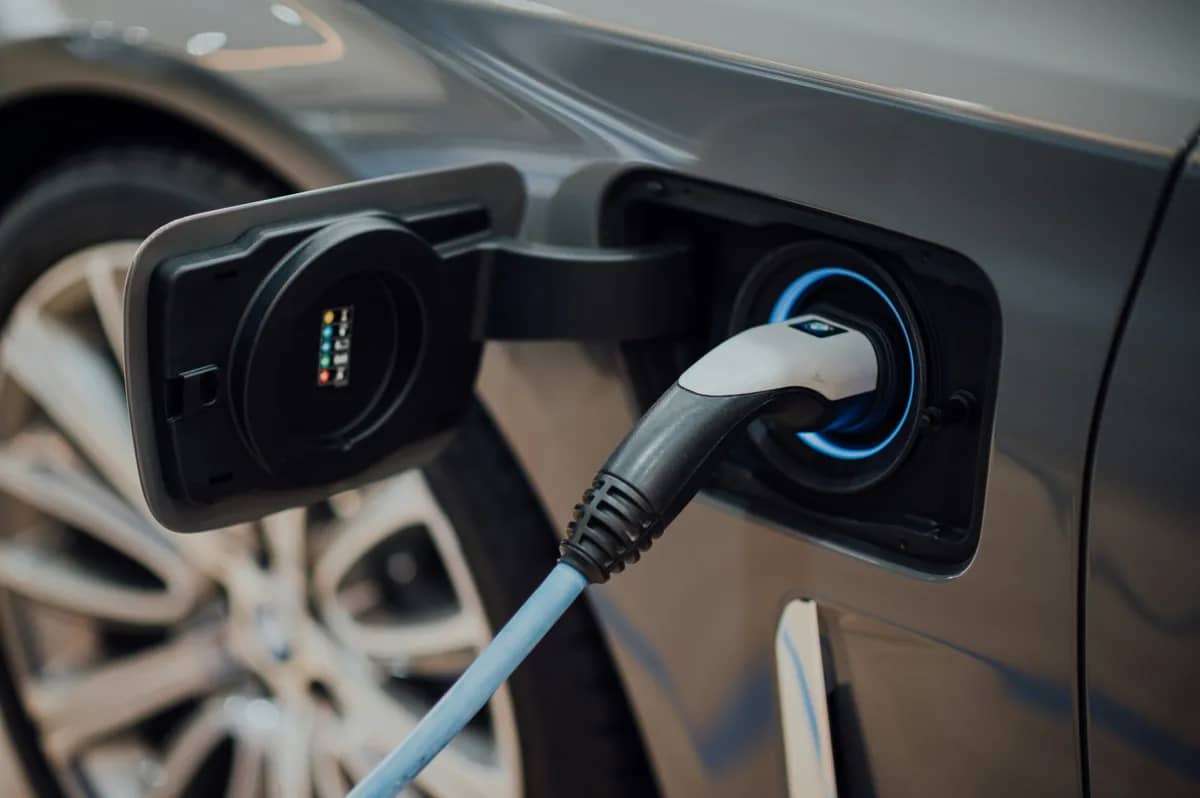
EV charging follows its normal routine, while Opportunity Loads adds surplus solar without adding to the electricity bill. If the charger supports dynamic phase switching, a 1-phase session can run when there isn’t yet enough surplus for a 3-phase session. Connecting multiple EV chargers is also possible.

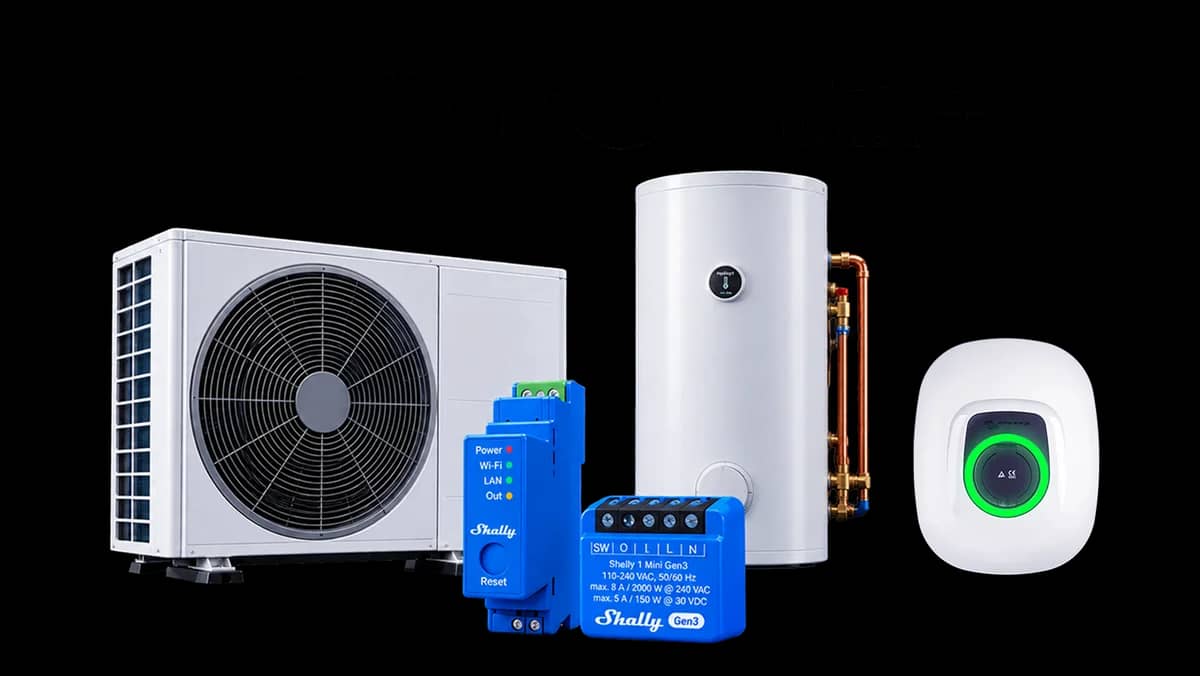
A heat pump turns each kWh of surplus solar into several kWh of heat, making it one of the most efficient ways to use Opportunity Loads. Depending on the model, it can take instructions directly, be monitored, or switched through a relay.

Surplus solar is not just about storing energy in a battery. It can also be stored as heat in a hot water tank or boiler, or cold, in a refrigeration system or cool room. Running these on sunny days costs nothing, as the excess power would otherwise go unused.

If appliances or equipment can be plugged in, switched, and don’t need power right away, they qualify for Opportunity Loads. Home or business, stationary or mobile, grid-tied or off-grid, the principle stays the same.
How it works
Once set up, Opportunity Loads automatically detects surplus solar, then uses it to power the right flexible load at the right time. Here’s how every spare watt is put to work.
Priority list
Control
Hardware compatibility
Surplus detection
Lighting, refrigeration, and other base loads always get power first. Flexible loads, including the battery, are added to a priority list that can be reordered at any time. The algorithm directs power to the next load in line, unless it needs more surplus solar than is currently available. In that case, it will run a smaller load further down the list instead, so surplus energy isn’t wasted.
The Opportunity Loads algorithm is active during the day, without replacing existing settings. It’s always possible to take back control, switching a Shelly out of ”auto”, or using an EV charger’s manual mode. At night, it steps back completely, so other schedules can run freely. When the sun rises, Opportunity Loads takes over again.
Dedicated EV chargers, and equipment switched through Shelly devices all work directly with Opportunity Loads. The algorithm is also compatible with Node-RED and can read data from heat pumps using the EEBUS protocol, with full control on the way.
Opportunity Loads has been designed to detect surplus energy in any type of solar setup. It works with off-grid and grid-tied AC-PVs, even when there’s no direct readout option and grid export is not allowed. In those cases the algorithm will briefly draw from the battery, to determine if solar is still covering it. It can also check whether MPPTs are throttled to confirm surplus in DC-PV systems.
Setting it up
There’s no need for rewiring, configuration files, or scripting. It only takes three simple settings to run Opportunity Loads on a GX device.
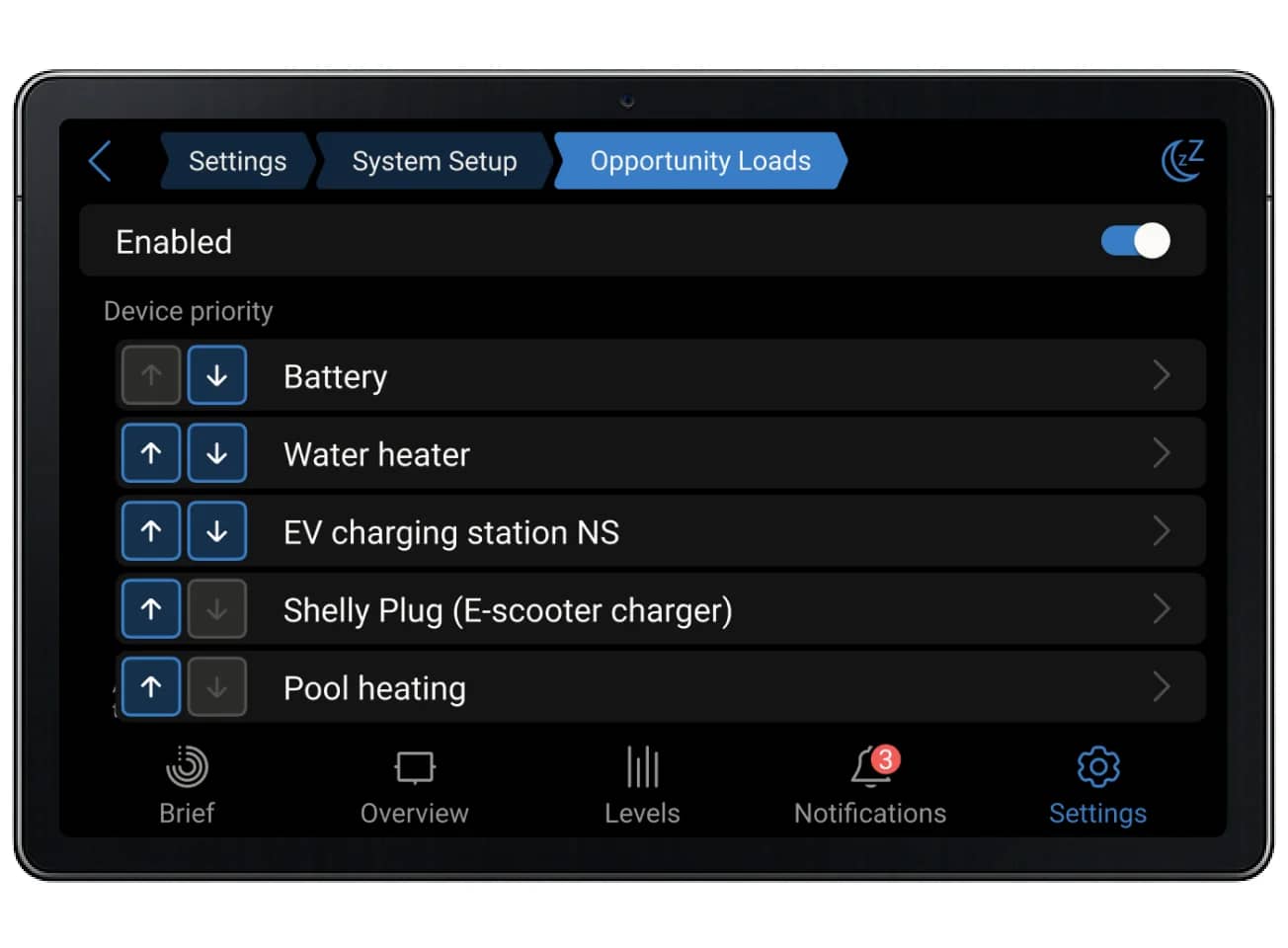
Connect a Victron EV charger, a Shelly plug, or another device to the GX communication centre, so Venus OS can find it. This can be done manually or via automatic discovery.
Enter what the device can draw when it’s on, and how long it should stay on once it starts. That’s all the algorithm needs to plan around it.
Once enabled for Opportunity Loads, devices will appear in the priority list. Changing the order determines which one is powered first.
Case study
The Opportunity Loads update for Venus OS was tested on site in Bavaria, Germany. Between 1 April and 31 May 2026, surplus solar covered 799.8 of the 800.9 kWh used by the site’s two EV charging stations. Water and space heating accounted for another 980 kWh, replacing roughly 100 litres of heating oil.
799.8 kWh
Surplus solar used
for EV charging
980 kWh
Surplus solar used for water and space heating
28.5 kWh
Power bought from the grid in the same period
Cerbo GX, VM-3P75CT grid meter, three MultiPlus-II 48/5000/70-50, fifteen Pylontech US2000C, a SmartSolar MPPT RS 450/200, three SMA SB4000TL-21 inverters, two EV Charging Station 32A NS and a 9 kW controllable immersion heater.
Requirements
A Victron-based system will usually have the components required to run Opportunity Loads. Check below to see if it does.
A supported GX device running Venus OS v3.80 or later, connected to a MultiPlus, MultiPlus-II, Quattro, Quattro-II, Multi RS, Multi RS Solar, Multi RS19 or Multi HS19.
The GX device needs a SmartShunt, a BMV Smart, a Lynx Smart BMS, a VE.Bus BMS, or a supported third-party BMS to read the state of charge, before it can direct energy elsewhere.
To make sure the GX device can detect surplus solar, it has to connect to a BlueSolar or SmartSolar MPPT, a Multi RS Solar inverter/charger, or a third-party PV inverter.
Monitoring
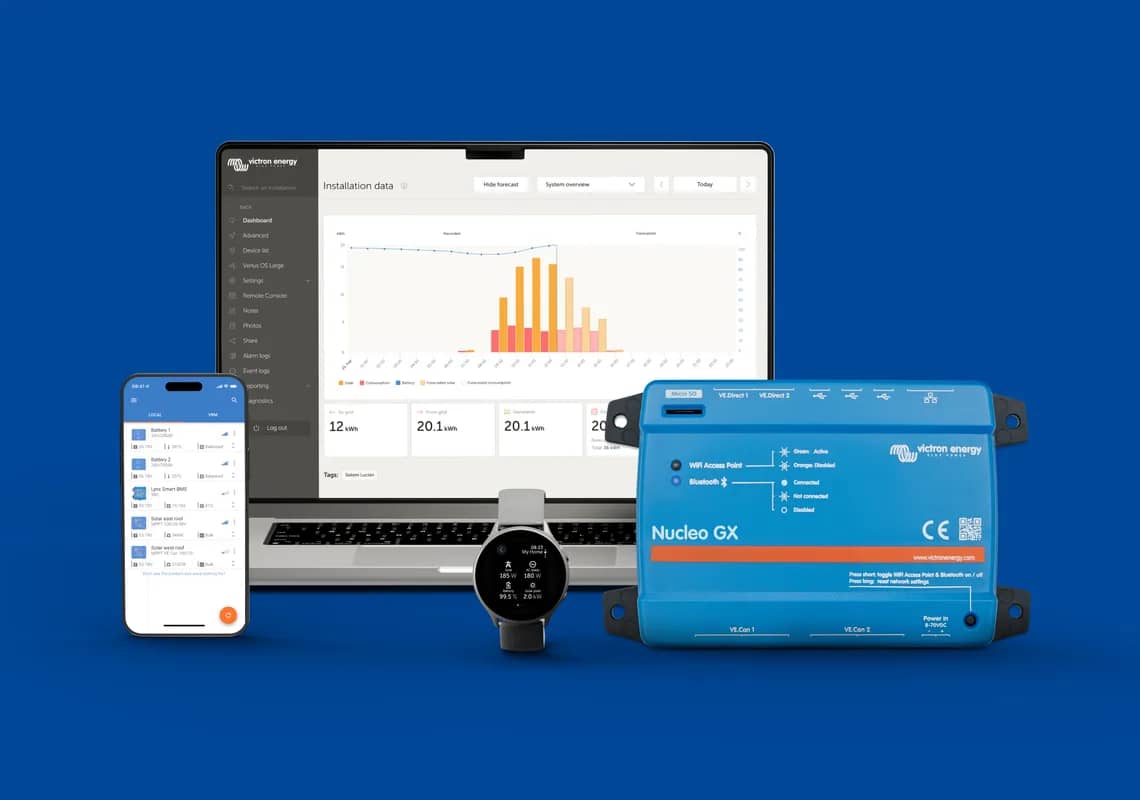
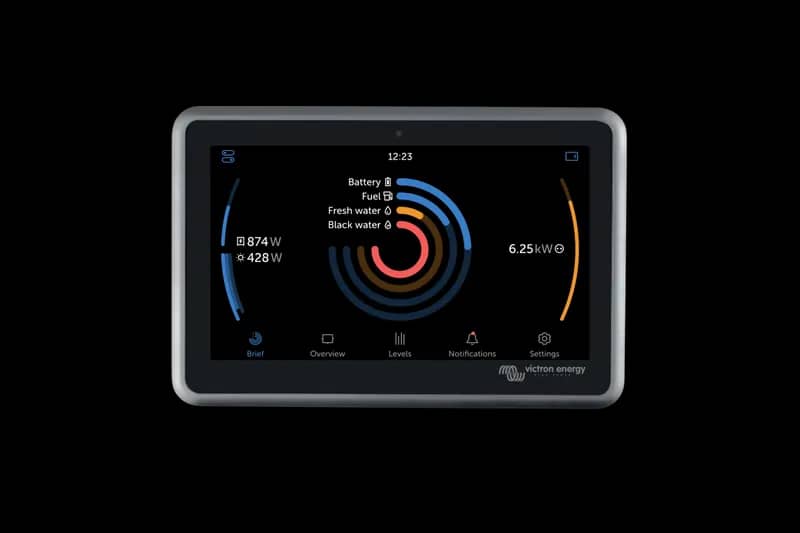
Get a side-by-side overview of solar production and load consumption in real time. Configure Opportunity Loads, monitor battery status, reserve backup power, and set alerts, from any device. Victron’s management software continues to set the industry standard for system control, locally with Venus OS, and remotely with the VRM portal.
Check the system requirements above and download the Opportunity Loads information deck to get started. Need help? Feel free to ask the nearest Victron installer for advice.
In-person advice from a certified Victron specialist, not a call centre.
A Dutch family-owned business, leading the way for over 50 years.
Quality proven in extreme conditions
A step-by-step guide to setting up and running this Venus OS function.
An introduction to Opportunity Loads for dealers and installers.
Learn more about the release that brings Opportunity Loads and other updates.
Support is always at hand, with our active community of Victron professionals and users.
Yes, unless it’s a ColorControl GX or Venus GX, both of which are now discontinued. All other GX devices will run Venus OS v3.80, the free software update that includes Opportunity Loads.
Yes. When export is capped, throttled, or paid less for, any solar that isn’t used on site goes to waste. Opportunity Loads puts surplus solar into a device instead, so it earns its value where it’s generated rather than being capped or sold back at a shrinking rate.
Any device that can be switched and doesn’t need to run at a specific moment: EV chargers, water heaters, heat pumps, pool pumps, and similar equipment. Loads that need to run immediately or can’t tolerate interruption aren’t a good fit.
Shelly devices for switching and EEBUS for monitoring are already supported today. Devices outside those integrations can often still be added through Node-RED. Full EEBUS control, SG-Ready control, and S2, the emerging standard for energy flexibility, are on the way.
Yes. If the maximum charging power is limited for both chargers, there can be enough surplus to run them at the same time. Otherwise, the priority list applies, and the second car starts charging once the first one is full.
Opportunity Loads steps back entirely at night, since there’s no surplus solar to manage, so other schedules can take over. It picks up again automatically at sunrise.
No. Opportunity Loads is built to use surplus solar, not to run loads from the battery. Some brief battery use can happen in specific situations, but it isn’t designed as a general battery-powered load management system.
No. Opportunity Loads is built to put surplus solar to use, not to replace timers, scheduling, or smart home control.
No. Opportunity Loads directs surplus solar to loads; Dynamic ESS manages energy use and storage around live energy prices. Both operate at a system level, so only one can be active at a time.
Opportunity Loads is opportunistic: it spends what’s spare, when it’s spare, rather than promising a state of charge or a finishing time. If the car needs to be full by seven, put the charger in manual or scheduled mode for that session and the algorithm steps aside.
Need advice? Our highly trained dealers are happy to help with questions, small or large.
Find a dealer near you
Check our support resources or contact your original dealer for dedicated support, repairs or warranty requests.
Support
Read more about our industry-leading 5-year standard warranty and global repair service.
Warranty


©Victron Energy 2026